Las Vegas Mayor's Cup
Tournament Info
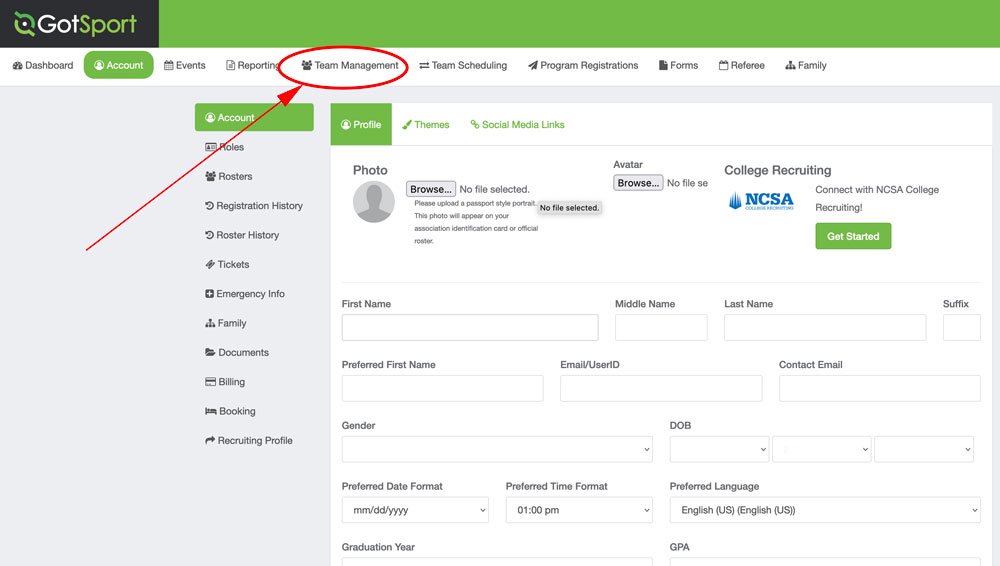
Log into your Gotsport Account at system.gotsport.com, and select Team Management.
Step 1
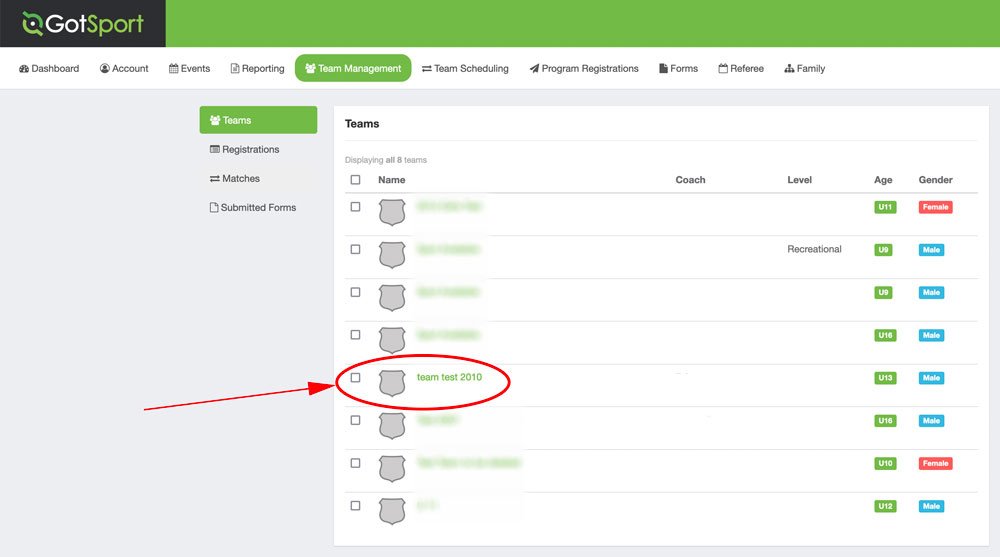
Select the team that you would like to add the guest player to.
Step 2
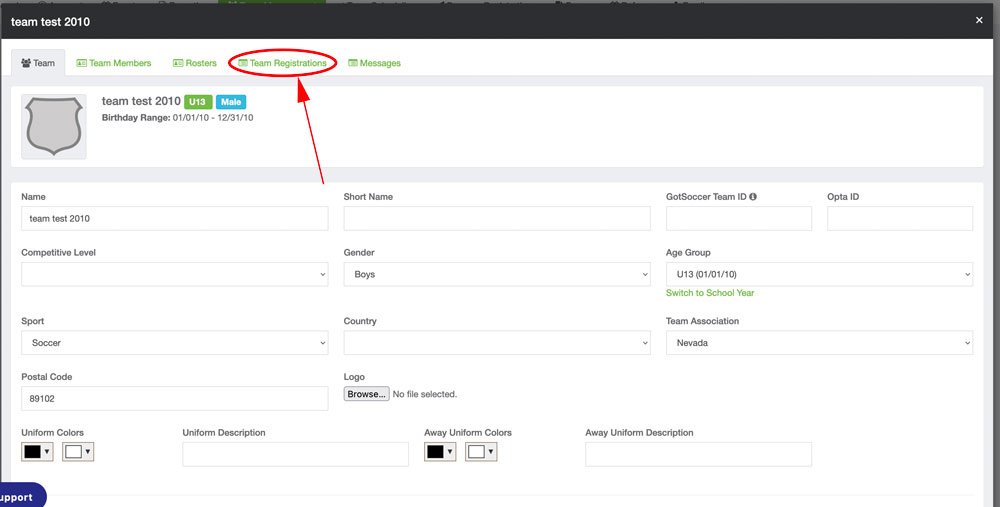
Select Team Registrations
Step 3
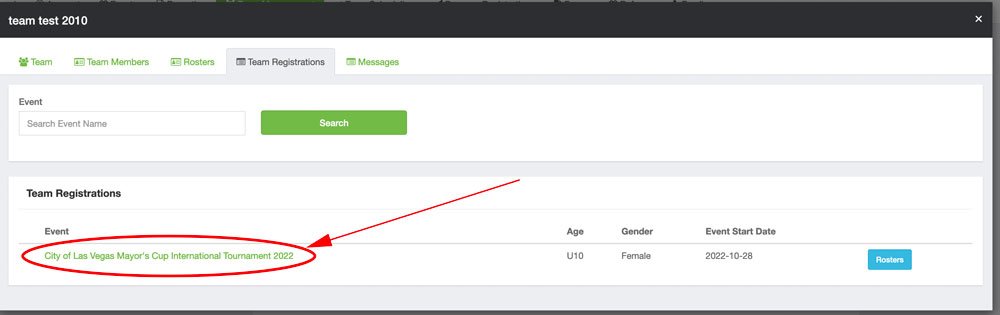
Select the Las Vegas Mayor's Cup. There maybe a large amount events in your list, so you can search for the Las Vegas Mayor's Cup. You may also have a number of Las Vegas Mayor's Cup events. Be sure to carefully select the correct event.
Step 4
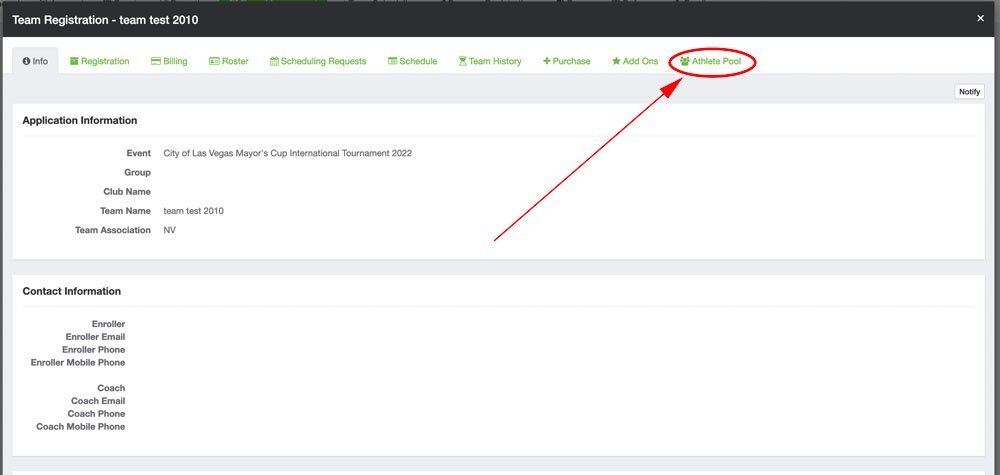
Select Athlete Pool. This will bring up the list of guest players.
Step 2e
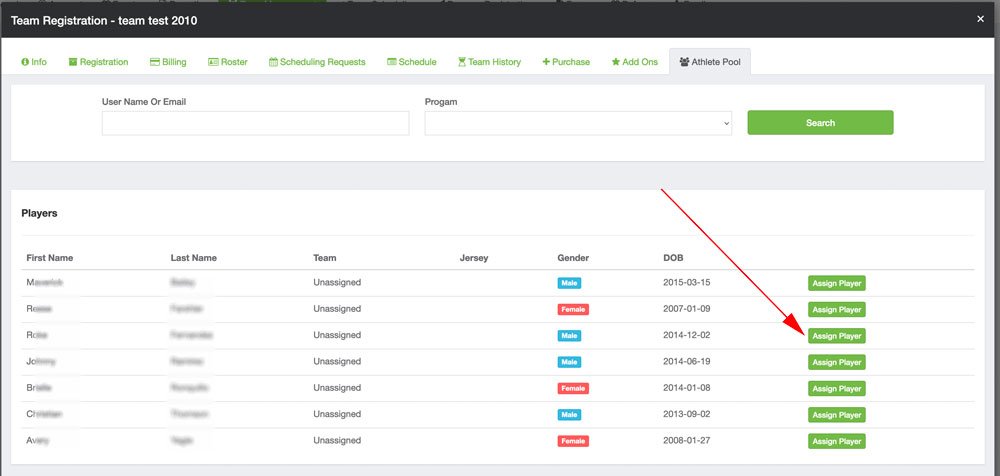
Carefully select the player you wish to invite as a guest. The player will get an email inviting then to join your team. Once they accept your invite, they will automatically added to your roster. IMPORTANT: All players must have the same association player cards as your team. You can not mix USYS with US Club passes.
Las Vegas Mayor's Cup
900 South Valley View Blvd. #175
Las Vegas, NV 89107
702-258-0279
info@lvmayorscup.com